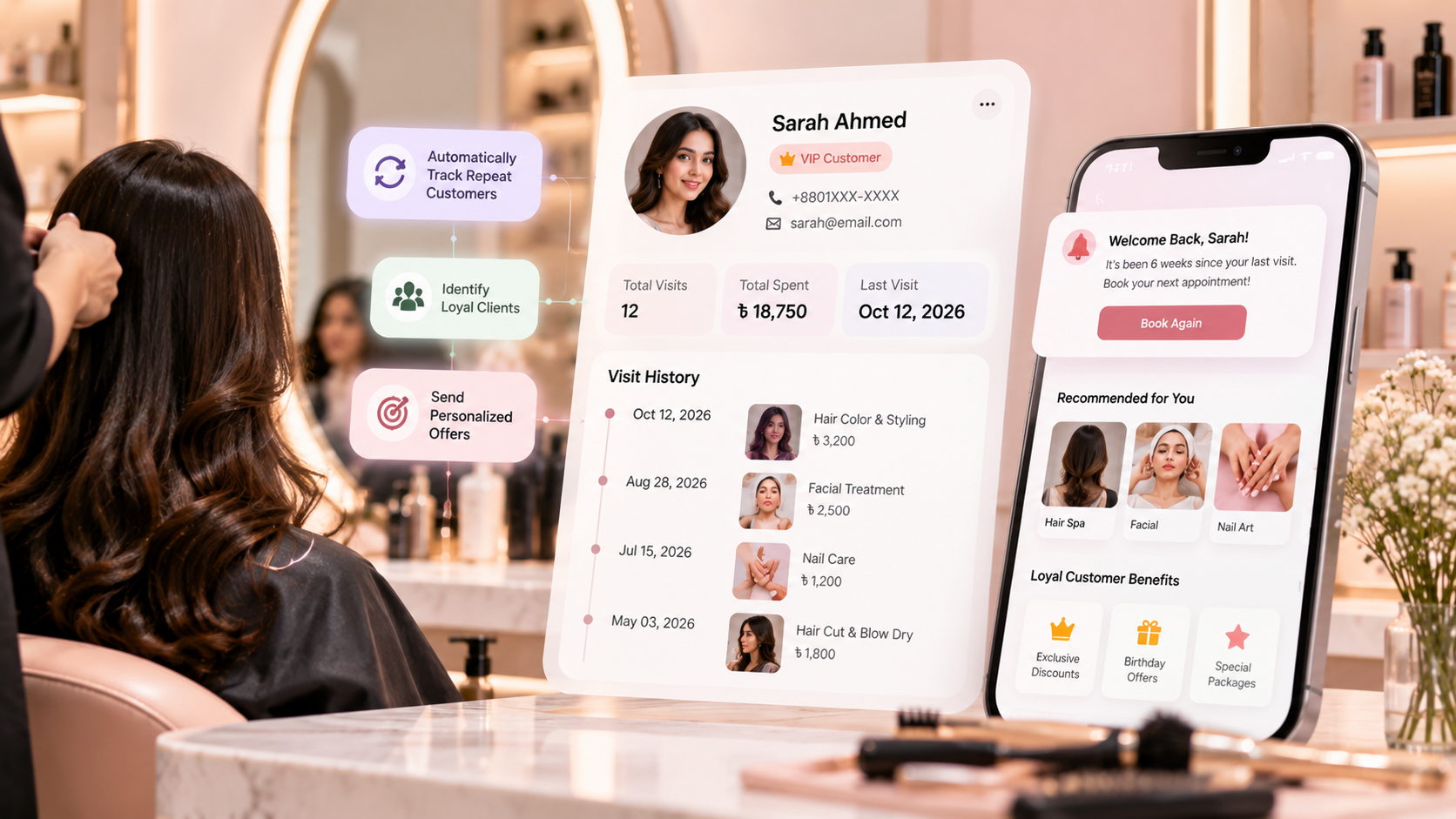
Digital client profiles centralize service histories, preferred stylists, product allergies, and visit intervals automatically.
Automated reminder alerts prompt rebookings right when recurring services (facials, hair spas, root touch-ups) are due.
POS-integrated tracking separates first-time visitors from loyal regulars without manual paper diary cross-referencing.
Automated re-engagement campaigns identify inactive clients after 60–90 days, recovering lost revenue before churn occurs.
Every beauty parlour wants more new clients, but the easiest revenue often comes from clients who have already visited once. The challenge is that most parlours do not track repeat customers systematically. Staff rely on memory, paper records, or scattered social media messages, so many clients quietly stop coming back.
Learning how to track repeat customers in a beauty parlour automatically can change that. With customer profiles, visit history, automated reminders, and follow-up campaigns, a parlour can identify regular clients, detect inactive ones, and bring them back at the right time.
For example, Glamoora, a beauty parlour management system, helps parlours track customer details, manage services, and improve daily efficiency through organised customer records and automated follow-up tools. This makes repeat-customer tracking part of daily operations instead of an extra administrative task.
In this guide, you will learn why repeat customers matter, what information to track, how automation works, and how to turn first-time visitors into loyal regulars.
Why Repeat Customers Matter More Than New Clients
New clients are important, but repeat clients are usually more profitable. They already know your parlour, trust your team, and need less convincing to book again.
A repeat customer also costs less to serve. You do not need to spend as much on advertising, introductions, or first-visit discounts. Instead, you can focus on service quality, personalised recommendations, and timely follow-up.
Industry data suggests that many first-time salon clients do not return. One salon industry analysis estimates that new-client retention averages around 35%, meaning roughly two out of three first-time clients may never come back.
That is why tracking repeat customers matters. When you know who visited, when they visited, what they took, and when they are likely due for their next service, you can act before they forget your parlour.
What Is Repeat Customer Tracking?
Repeat customer tracking means recording and analysing each client’s visits so you can identify:
First-time clients
Returning clients
Regular clients
Inactive clients
Clients due for a follow-up service
Clients with active packages or pending sessions
Clients who have not visited for a long time
A basic customer record may include a name and phone number. But a proper repeat-customer tracking system includes service history, visit dates, preferred staff, products purchased, package balance, and follow-up dates.
Salon CRM platforms typically store client profiles with complete visit history, preferences, notes, automated reminders, and follow-up sequences.
Why Manual Tracking Fails
Many parlours try to track repeat customers through notebooks, Excel sheets, or staff memory. This may work when the parlour is small, but it becomes difficult as the client list grows.
Manual tracking creates common problems:
Staff forget to record visit details
Client phone numbers are missing or incorrect
No one knows when a client is due for a follow-up
Inactive clients are not identified
Follow-up messages are inconsistent
Staff depend on one person’s memory
Reports are difficult to prepare
When customer information lives in different places, the parlour loses visibility. A client may visit three times, but if those visits are not connected in one profile, the parlour cannot see the full relationship.
What Customer Information You Should Track
To track repeat customers properly, every client should have one digital profile. This profile becomes the centre of all future communication and service recommendations.
Basic client details
Start with:
Full name
Mobile number
Address
Email, if available
Date of birth or anniversary
Preferred language
Preferred contact method
Service history
Record every completed service, including:
Service name
Service date
Staff member who served the client
Service price
Discount or offer applied
Products used
Products purchased
Payment method
Invoice number
Client preferences
Preferences help staff deliver a more personal experience:
Preferred beautician
Preferred service time
Skin or hair concerns
Allergy notes
Product preferences
Previous consultation notes
Package and membership details
If the client bought a package or membership, track:
Package name
Total sessions purchased
Sessions used
Sessions remaining
Advance payment
Pending payment
Expiry date
Redemption history
Follow-up information
Most importantly, track:
Last visit date
Recommended next visit date
Follow-up status
Last message sent
Whether the client booked again
How Automatic Repeat Customer Tracking Works
Automatic tracking works by connecting every booking, service, and payment to the client’s profile.
When a client books an appointment, the system records the booking. When the service is completed, the system updates the visit history. When the client pays, the system records the transaction. Over time, the parlour can see the client’s full journey automatically.
Step 1: Create a customer profile
When a new client visits or enquires, create a profile with their name, mobile number, and basic preferences.
Step 2: Connect every booking to the profile
Every appointment should be linked to the client profile. This ensures the system knows who booked, when they booked, and which service they selected.
Step 3: Update the profile after each visit
After the service is completed, update the profile with the service taken, staff member, payment, products used, and any follow-up recommendation.
Step 4: Set a follow-up date
Based on the service, set a follow-up date. For example, a facial client may need a follow-up after 30 days, while a hair-treatment client may need one after 6–8 weeks.
Salon CRM guidance commonly recommends service-based reminder rules, such as six weeks for colour maintenance or two to three weeks for lash fills.
Step 5: Send automated reminders
When the follow-up date arrives, the system can send an automatic SMS, email, or WhatsApp message inviting the client to book again.
Step 6: Identify inactive clients
If a client has not visited within a set period, the system can mark them as inactive or at risk. The parlour can then send a win-back message or special offer.
Salon CRM systems often identify at-risk clients who have not visited for 60 days or more and automate win-back campaigns for them.
Automated Messages That Bring Clients Back
Automation works best when messages are timely, relevant, and personal. Avoid sending the same generic message to every client.
Appointment confirmation
Send immediately after booking:
“Thank you for booking with [Parlour Name]. Your appointment for [Service] is confirmed on [Date] at [Time].”
Appointment reminder
Send 24 hours before the appointment:
“Reminder: Your [Service] appointment at [Parlour Name] is tomorrow at [Time]. Reply to reschedule if needed.”
Post-visit thank-you message
Send after the service:
“Thank you for visiting [Parlour Name]. We hope you loved your [Service]. Book your next appointment here: [Booking Link].”
Service due reminder
Send based on the service cycle:
“Hi [Client Name], it has been [X] weeks since your last [Service]. Would you like to book your next appointment?”
Inactive client win-back message
Send to clients who have not returned:
“Hi [Client Name], we miss you at [Parlour Name]. Book your next visit this month and enjoy [Offer].”
Birthday or anniversary message
Send on special dates:
“Happy Birthday, [Client Name]! Enjoy a special offer on your next visit to [Parlour Name].”
Automated rebooking reminders, thank-you notes, birthday messages, and win-back campaigns help salons stay connected with clients without adding extra manual work.
How to Segment Repeat Customers
Not all clients are the same. Segmenting customers helps you send the right message to the right person.
Useful customer segments include:
Segment
Definition
Best follow-up
New client
Visited once
Thank-you message and rebooking prompt
Returning client
Visited two or more times
Service due reminder
Regular client
Visits frequently
Loyalty offer or VIP treatment
Inactive client
Has not visited recently
Win-back campaign
Package client
Has an active package
Session reminder and balance update
High-value client
Spends more than average
Personalised offers and priority booking
Birthday client
Birthday this month
Birthday offer
Pending payment client
Has due amount
Payment reminder
Segmentation makes follow-up more relevant. A client who takes a facial every month should receive a different message from someone who visited once for bridal makeup.
Reports That Show Repeat Customer Growth
Tracking repeat customers is not only about sending messages. You also need reports to understand whether your follow-up system is working.
Repeat Customer Rate
This shows how many clients return after their first visit within a selected period.
Formula:
Repeat Customer Rate = (Customers With 2 or More Visits in a Period ÷ Total Customers Served in the Same Period) × 100
Example:
If 200 clients visited your parlour in the last 90 days and 60 of them visited at least twice during that period:
Repeat Customer Rate = (60 ÷ 200) × 100 = 30%
So, your repeat customer rate is 30%.
Client retention rate
This shows how many clients continue visiting over a period, such as 30, 60, or 90 days.
Rebooking rate
This shows how many clients book their next appointment after completing a service.
Inactive client rate
This shows how many clients have not returned within your chosen period.
Revenue from repeat clients
This shows how much income comes from returning clients compared with new clients.
Campaign performance report
This shows how many clients opened, clicked, or booked after receiving a follow-up message.
Salon CRM reporting commonly includes retention, rebooking, and client lifetime value metrics.
How Glamoora Helps Parlours Track Repeat Customers
Glamoora makes repeat-customer tracking easier by keeping customer details, service history, and follow-up activity in one place.
Instead of relying on staff memory, parlour staff can open a client profile and see:
Previous services
Visit dates
Preferred staff
Products purchased
Package balance
Pending payments
Follow-up dates
Last communication
When a client becomes due for a follow-up, Glamoora can help the parlour send a reminder automatically. When a client stops visiting, the parlour can identify them as inactive and send a win-back message.
This turns customer retention into a repeatable system rather than a task that depends on someone remembering to call or message clients.
Practical Follow-Up Rules for Common Services
Different services need different follow-up timing. Set rules based on the service, not on a fixed date for every client.
Service
Suggested follow-up window
Facial or cleanup
25–35 days
Hair spa or treatment
30–45 days
Hair colour touch-up
4–8 weeks
Waxing
3–5 weeks
Manicure or pedicure
3–5 weeks
Hair cut
6–10 weeks
Bridal package follow-up
After wedding or next occasion
Skin treatment course
Based on treatment plan
These timings should be adjusted based on your services, client preferences, and local demand.
Best Practices for Repeat Customer Follow-Up
Ask for rebooking before the client leaves
The best time to suggest the next appointment is immediately after a successful service. Staff can say:
“Would you like to book your next facial before you leave?”
Then the system can send an automatic reminder closer to the date.
Keep messages short
Clients are more likely to read short messages. Include only the client name, service, offer if any, and booking link.
Personalise the message
Use the client’s name, last service, and preferred staff member when possible. Personalised follow-ups feel more helpful and less like spam.
Do not message too often
Too many messages can annoy clients. Start with appointment reminders and service-due reminders, then add birthday and win-back campaigns gradually.
Track results every month
Review how many clients returned after receiving a follow-up. If a campaign does not work, change the timing, message, or offer.
Train staff to update profiles
Automation only works when customer data is accurate. Train front-desk staff to record every visit, service, and follow-up correctly.
Common Mistakes Parlours Make
Keeping client details only in staff memory
Not recording the last service date
Sending generic messages to every client
Ignoring inactive clients
Not tracking whether follow-up messages lead to bookings
Selling packages without tracking remaining sessions
Depending on one staff member to manage all client relationships
Avoiding these mistakes makes your repeat-customer system more reliable.
How to Start in One Week
You do not need to build a complex system immediately. Start with a simple process.
Day 1: Create customer profiles
Add existing regular clients with name, mobile number, and last visit date.
Day 2: Record service history
Add recent services, staff members, and products purchased.
Day 3: Set follow-up dates
Assign a follow-up date based on each client’s last service.
Day 4: Create message templates
Prepare appointment reminders, thank-you messages, service-due messages, and win-back messages.
Day 5: Activate automated reminders
Turn on reminders for upcoming appointments and service due dates.
Day 6: Identify inactive clients
Create a list of clients who have not visited in 60 or 90 days.
Day 7: Review results
Check how many clients received messages, booked again, or responded.
Frequently Asked Questions
How do I track repeat customers in a beauty parlour?
Create a digital profile for every client and connect every booking, service, payment, and follow-up to that profile. Then use automated reminders based on service dates and visit history.
What information should I track for repeat customers?
Track name, mobile number, visit dates, services taken, staff member, products purchased, package balance, follow-up date, and last communication.
How often should I follow up with salon clients?
It depends on the service. Facials may need a monthly follow-up, while hair treatments may need a 30–45 day follow-up. Hair colour clients may need a reminder after 4–8 weeks.
What is a good repeat customer rate for a salon?
Benchmarks vary by market and service type, but tracking your own repeat rate monthly is more important than comparing it with others. Aim to improve it consistently over time.
Can automated reminders reduce no-shows?
Yes. Appointment confirmations and reminders help clients remember their bookings and give them an easy way to reschedule. Text reminders have been shown to reduce missed appointments in appointment-based businesses.
How does a beauty parlour management system help with retention?
It stores complete client profiles, tracks visit history, identifies inactive clients, sends automated reminders, and shows reports on repeat visits and retention.
Final Thoughts
Repeat customers are the foundation of a profitable beauty parlour. Instead of spending all your energy finding new clients, build a system that helps existing clients return at the right time.
To track repeat customers automatically, create complete client profiles, connect every visit to those profiles, set service-based follow-up dates, and use automated reminders. Then review your repeat-customer reports every month.
A system like Glamoora helps parlours manage customer details, service history, follow-ups, and daily operations in one place, making repeat-customer tracking easier and more consistent.
Ready to Automate Client Retention in Your Parlour?
Explore Glamora by Geekssort and see how connected client profiles, automated visit tracking, and service rebooking reminders can turn one-time visitors into loyal regulars.
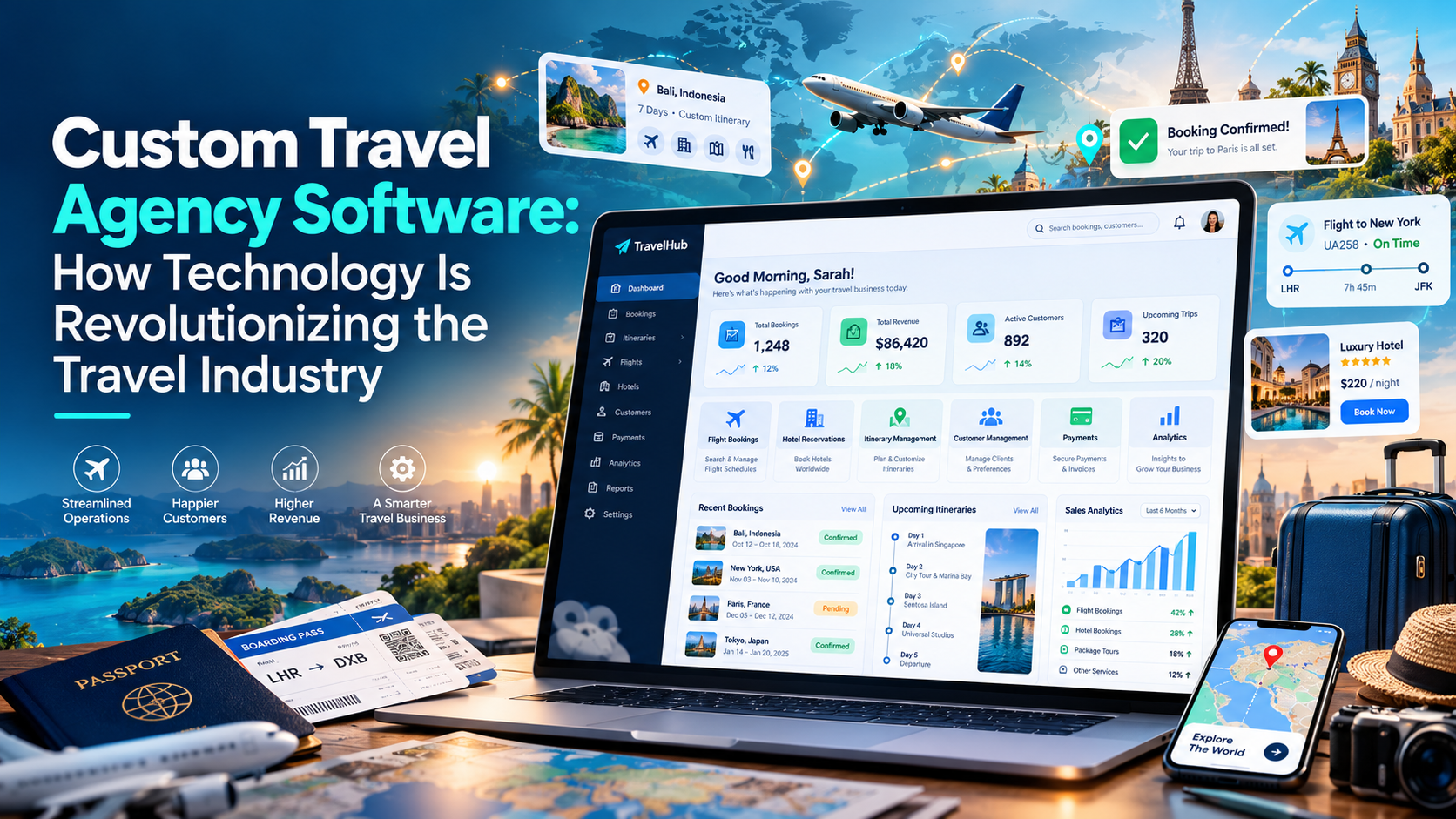
Discover how custom travel agency software helps modern agencies automate flight and hotel bookings, manage holiday packages, build dynamic itineraries, and scale online.
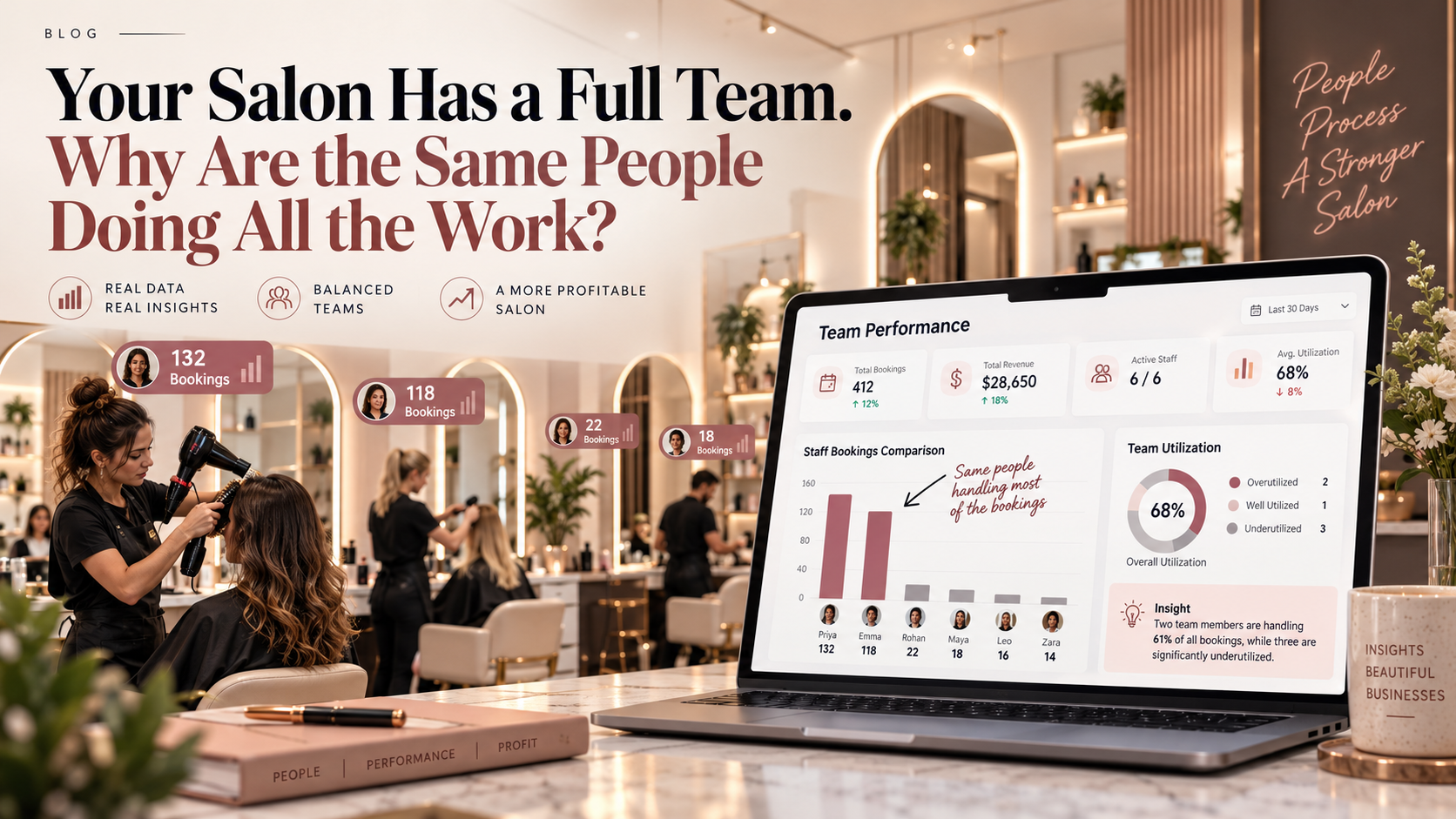
Learn how a salon management system helps salon owners uncover hidden bottlenecks, balance appointment schedules across the team, and boost staff productivity.
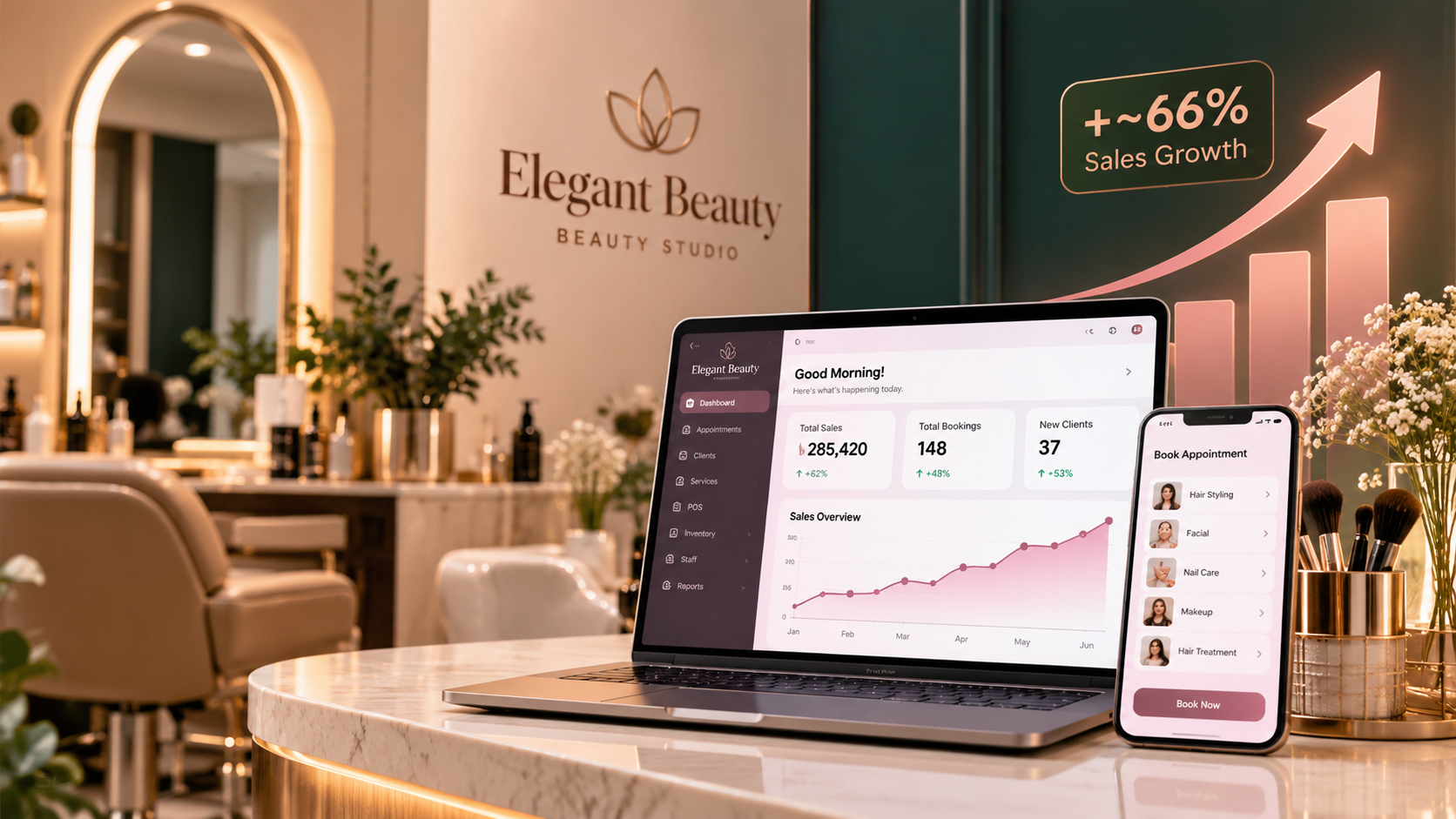
Discover how Elegant Beauty achieved an almost two-thirds increase in revenue by connecting appointment scheduling, POS billing, inventory tracking, and client follow-ups with a salon management system.



 We’re happy to sign an NDA upon request.